Website Redesign Checklist: What Small Businesses Should Fix First
A redesign is a business decision, not a new coat of paint. Start by finding the obstacles that stop customers from understanding your offer or contacting you.
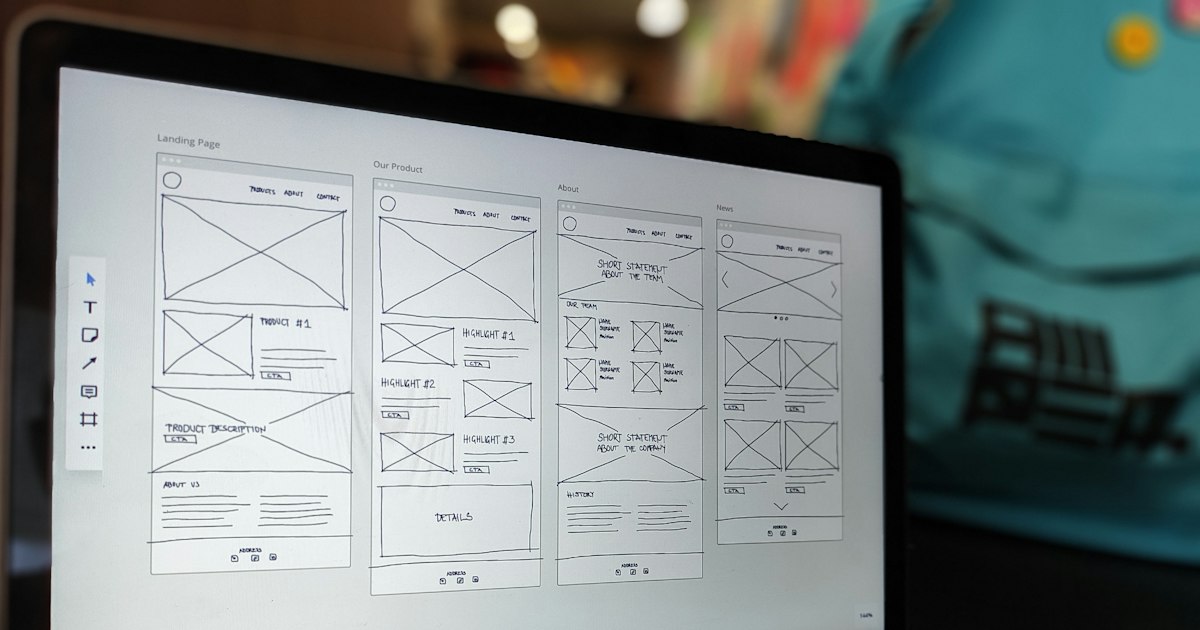
A redesign is a business decision, not a new coat of paint. Start by finding the obstacles that stop customers from understanding your offer or contacting you.
Audit the customer journey before touching the design
Open your website in a private browser window on your phone. Pretend you are a first-time customer who has never heard of your business. Can you identify what the company does, whether it serves your area, and how to take the next step? Repeat the same exercise for a service page, not just the homepage. The goal is to discover where visitors have to guess.
Write down each obstacle with its URL, device and expected behavior. “The site feels old” is too vague to brief a designer. “The quotation button disappears behind the mobile menu” is actionable. Record broken forms, unclear pricing language, inconsistent services, unreadable type and slow-loading essential information.
Decide what to keep, repair or rebuild
A single broken contact form may need a repair, not a rebuild. A strong site with confusing visuals may benefit from a more focused redesign. Rebuilding the structure is more appropriate when navigation, content management or technical limitations prevent reliable updates. Compare these approaches before choosing a budget.
Keep useful content, working integrations and pages that already attract relevant inquiries. Ask who will own the new site, how content will be migrated and whether your team can edit service descriptions and opening hours without developer assistance.
The 10-point redesign checklist
- Clear offer: your first screen says who you help and what you provide.
- Mobile experience: text, buttons and forms work comfortably on a phone.
- Calls to action: every major service page has a relevant next step.
- Working contact routes: forms deliver, phone links work and email addresses are correct.
- Trust: show genuine work, verifiable credentials and accurate company details.
- Readable structure: headings and page sections answer common buying questions.
- Accessibility: keyboard access, labels, contrast and focus states are checked.
- Search continuity: valuable URLs are preserved or redirected intentionally.
- Performance: test real mobile loading and avoid oversized assets.
- Ownership: clarify hosting, domain, maintenance and access rights.
Protect search visibility during launch
If page addresses change, map old URLs to the closest relevant new pages and set up redirects. Avoid sending every old URL to the homepage. Keep a record of important titles, page content and internal links. Check that the replacement site's canonical addresses and sitemap point to the right pages, then verify crawling and indexing after deployment.
Google's SEO Starter Guide covers useful foundations such as descriptive titles, accessible content and navigable site structures. None of these changes guarantees a ranking improvement: evaluate them alongside actual customer experience.
Define success and test before publishing
Pick measurable outcomes such as completed quote requests, successful calls from service pages or confirmed appointments. Record a baseline where your analytics setup allows. Make a launch checklist covering navigation, forms, responsive layouts, important redirects, privacy links and live contact delivery.
If the redesign is expensive, start with the page most closely tied to revenue and test the impact before expanding the work. Compare your budget assumptions with our website project cost guide and inspect our documented builds when evaluating design approaches.
Prioritize redesign work by business impact
Group each finding by evidence and consequence. A broken form directly blocks inquiries; fixing it is usually more urgent than changing a font. A service page that doesn't explain what is included may need improved copy and hierarchy. A site that merely feels dated requires a closer look at real usability before committing to a full rebuild.
| Observed issue | Decision |
|---|---|
| Contact submissions fail | Repair delivery and test the complete process |
| Services unclear on mobile | Improve structure, wording and visible CTAs |
| Outdated visual treatment | Assess actual user friction before rebuilding |
Frequently asked questions
Does a redesign guarantee more sales?
No. A redesign can address obstacles, but outcomes also depend on customer demand, the offer, traffic quality and follow-up. Measure real inquiries, not visual polish alone.
Should every URL change during a redesign?
No. Preserve valuable addresses when practical, and create intentional redirects when pages move. Verify the sitemap, internal links and contact flows during launch.
Use our maintenance checklist for reliability issues and the platform comparison for rebuild decisions.
The broken form is more urgent than new colors
A firm with a dated homepage and a non-working quote form should repair customer contact first. A complete rebuild may create migration risk without addressing the cause. Record the failed task and compare a focused repair with a rebuild.
Practical check: Preserve useful pages and test the mobile inquiry journey both before and after launch.
Want a redesign plan based on real problems?
Share your existing website, the biggest friction points and the customer action you want to improve. We can define the smallest sensible scope.
Discuss your project ↗